 Style In
How AI cut works
- Choose AI cut on the camera and photograph a full outfit, head to toe if you can.
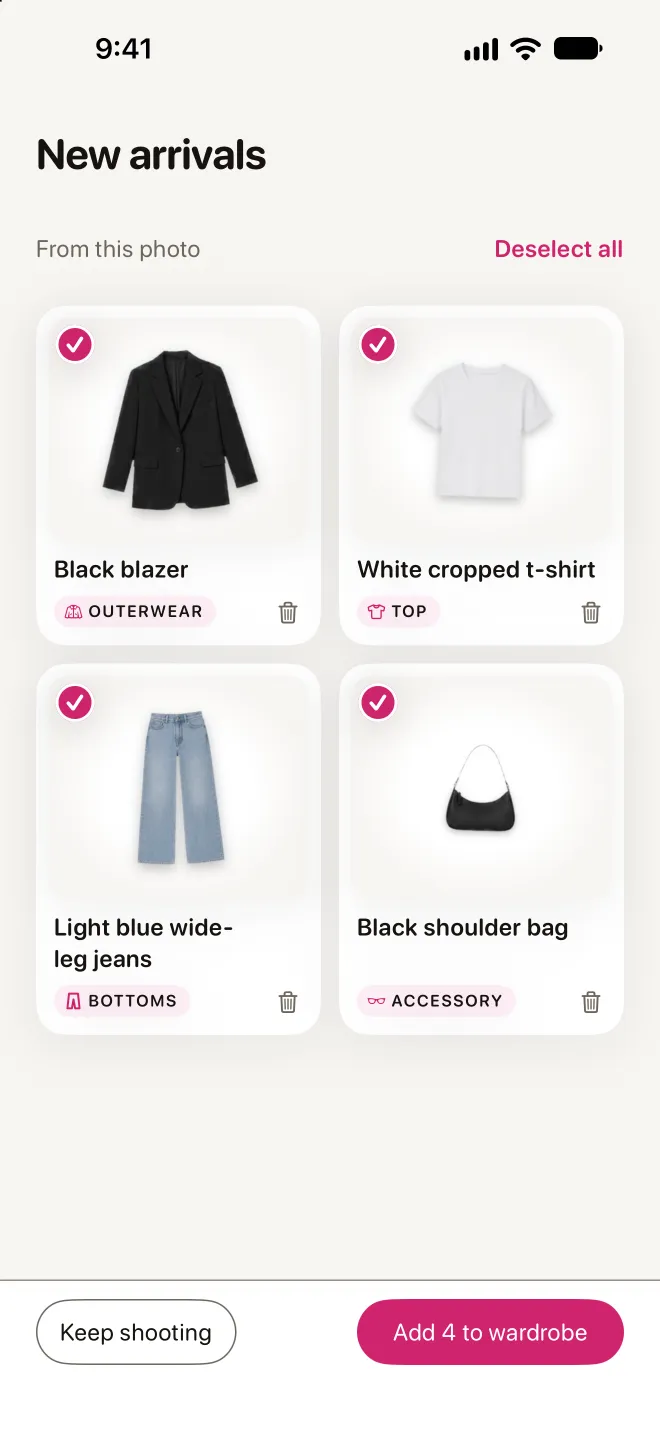
- Style In finds each garment and cuts it out as its own sticker. The pieces arrive in New arrivals while you carry on.
- Keep the pieces that are yours, rename any of them, and they join your wardrobe.
When to use AI cut and when to cut by hand
AI cut is best when you're wearing the clothes, or for a look you saw and want to remember. For one item at a time — a jacket on the bed, shoes on the floor — One piece mode cuts it out right on your phone, and cutting by hand is always free.
Your photos, your choice
AI cut sends the photo to an AI provider to find the garments; you can switch AI features off at any time in Settings, and then no photo is sent. AI cut needs an account and is metered on the free plan; Premium with AI includes more.
Tips for a clean cut
- Stand in even daylight against a plain wall.
- Keep every piece in frame: sleeves, hems and shoes.
- Open a jacket if you want the top under it too.